
🧰 Prerequisites
-
Account Owner or Primary Stakeholder can make this request
-
Send email to help@directbookingtools.com or use the upper right Contact Us button
🔧 Step-by-Step Instructions
Step 1: Send email requesting cancellation
The email must be the one that is either the account owner or primary stakeholder for the account
Any requests from email addresses not registered will NOT be actioned or responded to for security purposes.
Step 2: Billing Cycle
Direct Booking Tools is a Subscription based service.
Example: If your billing cycle is on the 15th, and you make a request on the 1st, the service will run until the 15th. If you make a request on the 17th, the service will run until the next billing cycle date.
(Add images/screenshots here if possible.)
Optional: Find your Next Payment Date
If you are not sure of your billing cycle's date, you can login into you DBT dashboard, go to Subscription > scroll down to view Next Payment Date. All Direct Booking Tools client will have a Next Payment Date.
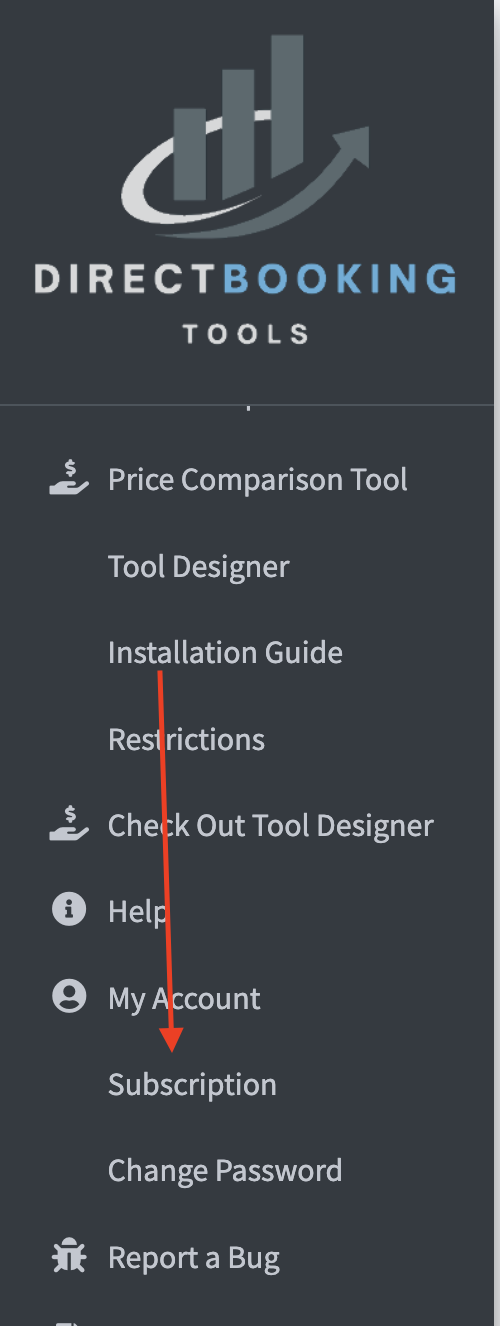
Once you choose Subscription, on this page look for Next Payment Date row i.e.
